Installation Guide for Lexi Desktop Command
Lexi Desktop Command is not code-signed yet, so Chrome or Windows may show a warning. Follow the steps below and verify the SHA-256 value on the download page before installing.
New versions install per user (no admin rights). If you have a previous all-users install, reinstall LDC once — the old copy is not removed automatically.
Install in 6 steps
Step 1 — Click Download
Click ZIP (recommended) or EXE (direct) on the download page. Chrome will start the download in the background.
Step 2 — Chrome blocks the file
Chrome shows a download icon at the top of the browser with a red dot. Click the icon to open the downloads list. You»ll see the file marked with «A suspicious download has been blocked». This is an automatic warning Chrome gives all new program files — not a sign the file is dangerous.
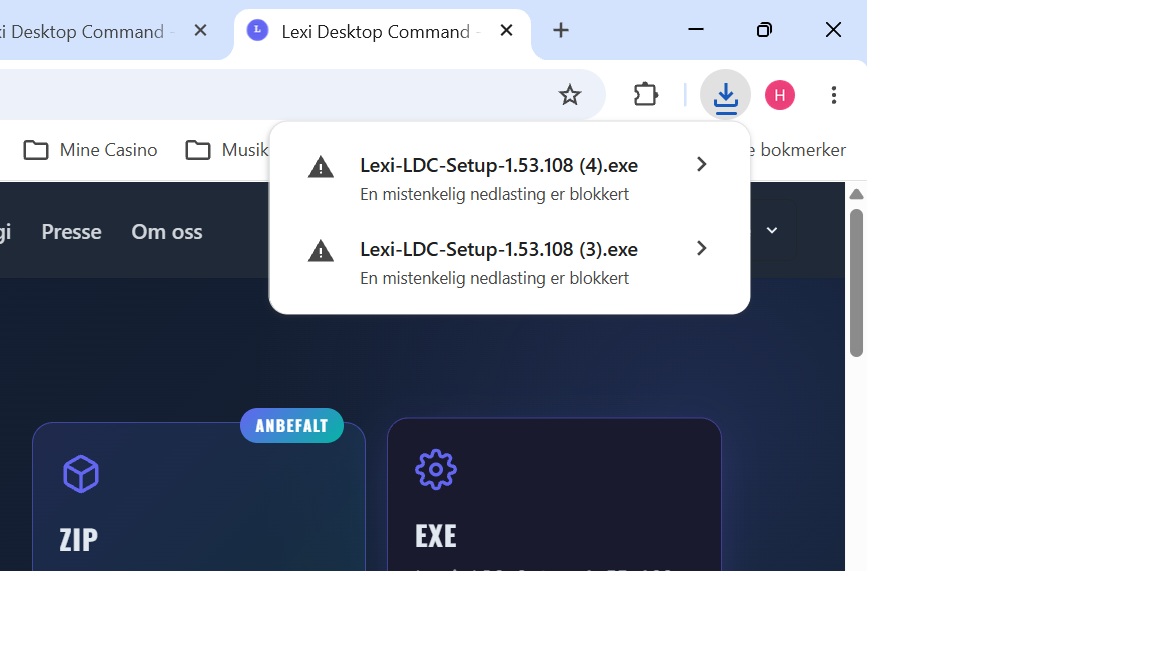
Step 3 — Keep the file anyway
Click the arrow to the right of the file name. A detail window opens with two buttons. Click Download suspicious file (the blue button on the right). Chrome will then allow you to complete the download.
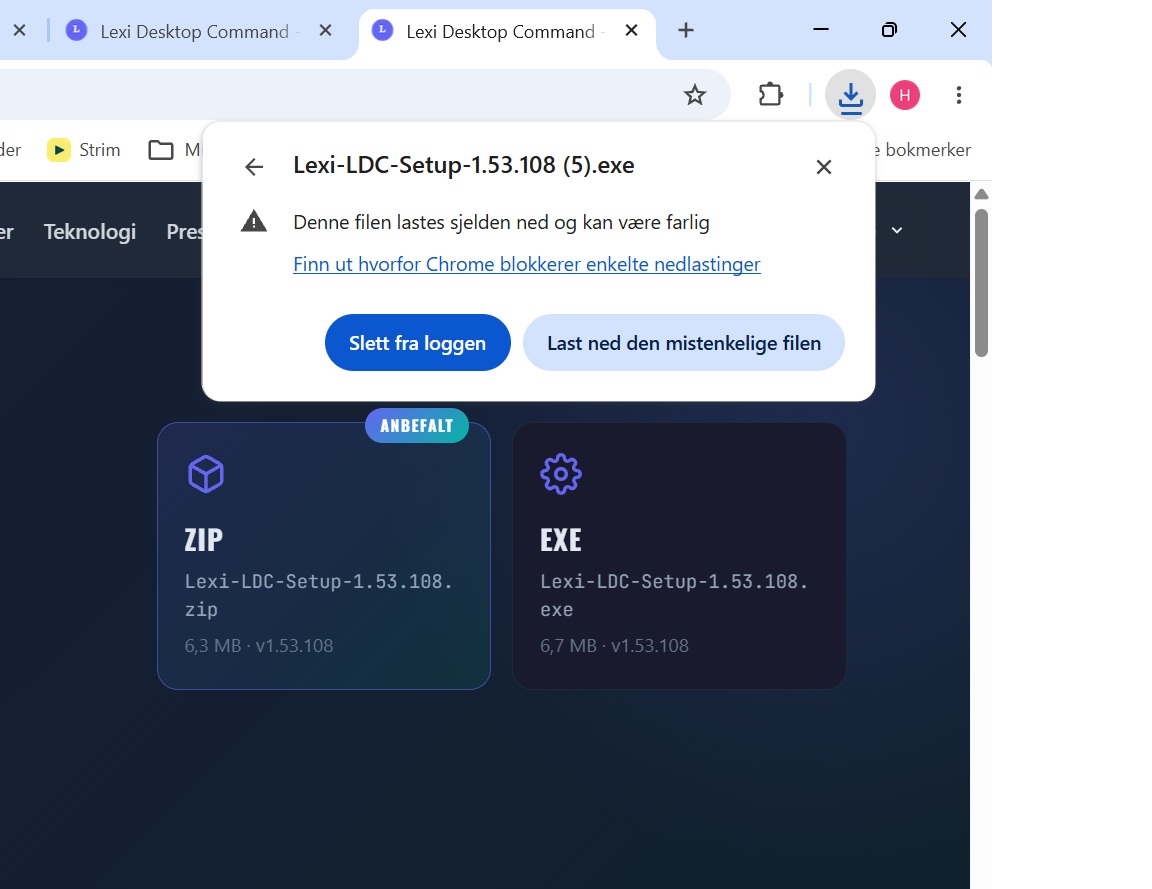
Step 4 — Extract (ZIP only)
If you downloaded the ZIP edition, right-click Lexi-LDC-Setup-<version>.zip → Extract all. Choose a destination folder and extract. Skip to step 5 if you chose the EXE directly.
Step 5 — Unblock Windows file
Right-click Lexi-LDC-Setup-<version>.exe → Properties. If Windows says the file came from another computer, choose Unblock and then OK. Otherwise continue to step 6.
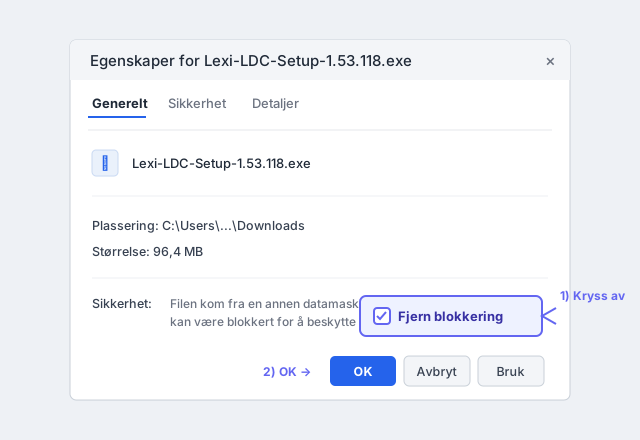
Step 6 — Install
Double-click the .exe. If Windows SmartScreen appears: click More info (blue link) – then click Run anyway. Installation begins.
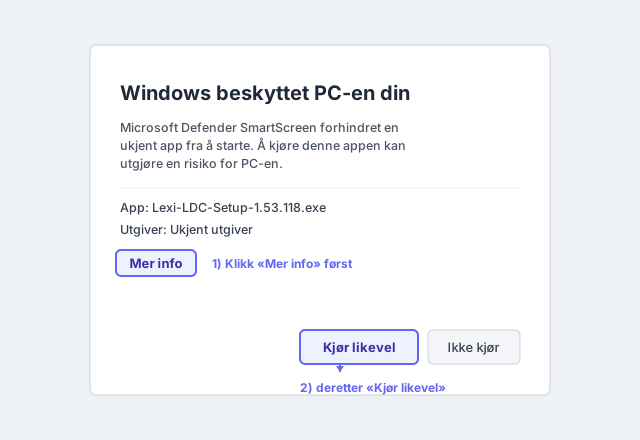
Why am I seeing these warnings?
Chrome and Windows warn about all new program files that have not been «reputation validated» by Microsoft. New programs from smaller developers must either build up this reputation over time (requires hundreds of downloads), or be signed with an EV Code Signing certificate.
Lexi Desktop Command is safe to install — our source code has been reviewed and the application only communicates with LexiCo»s own servers.